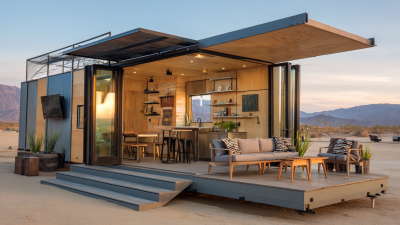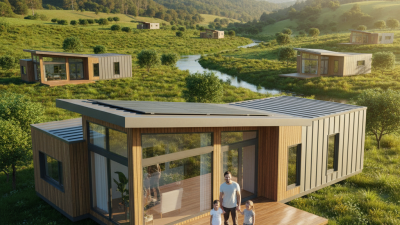
Found a design you like or need custom guidance? We can help. Fill in the form about your project, and we’ll contact you to discuss options and answer questions.
Selling property across borders now begins long before a buyer enters the home. It begins on a screen. The National Association of Realtors’ 2024 Profile of Home Buyers and Sellers reports that 43% of buyers started their search online. Its 2023 report also found that 51% discovered their purchased home through the internet. These figures show a clear shift. Global buyers need immediate visual confidence, not carefully edited promises.
A well-planned 3d house tour can provide that confidence by showing room connections, ceiling height, window positions, and walking routes. A buyer in Singapore can inspect a kitchen in London before arranging a flight. A family in Dubai can compare storage space without relying on unfamiliar photographs. Matterport’s digital-twin research also highlights how immersive property content supports remote understanding and engagement. However, technology alone does not create trust. Accurate measurements, natural lighting, clear narration, and consistent camera movement matter more than dramatic effects.
This guide explains how to create a 3d house tour for global buyers, from preparation and scanning to hosting, translation, and performance testing. It considers mobile users, slower connections, language differences, and accessibility needs. Small details matter. Show the view from eye level. Open the wardrobe doors. Mark the staircase carefully. Avoid hiding flaws behind music or wide-angle distortion. That is where many tours become less credible. A virtual experience should inspire interest, not replace honest inspection. The process may never be perfect, and that deserves acknowledgment. Yet, when professional data, accurate property information, and thoughtful visual storytelling work together, a 3d house tour can make distant property feel remarkably tangible.
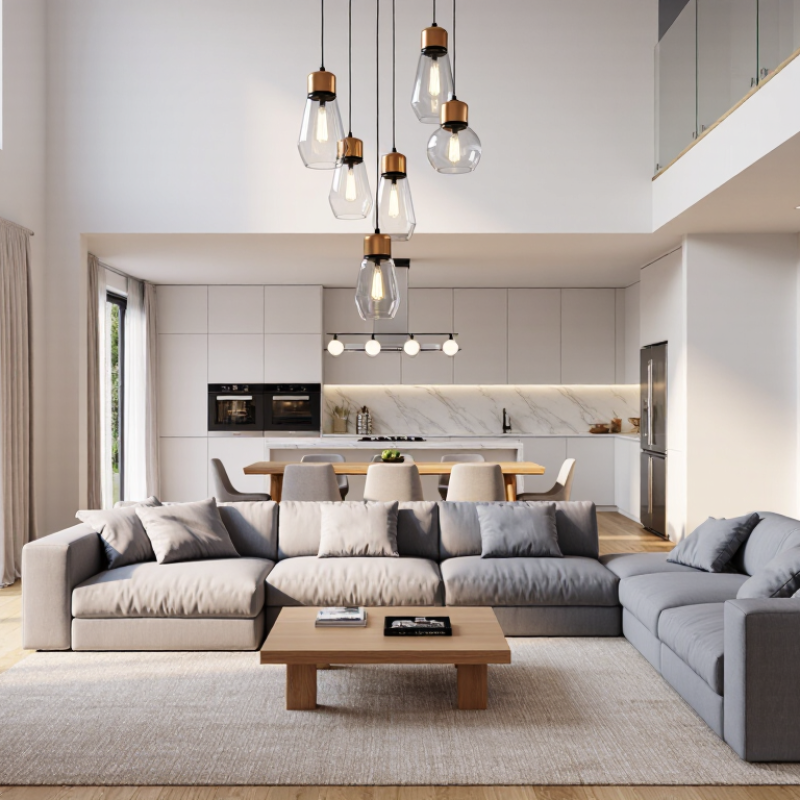
How to Create a 3D House Tour for Global Buyers?
According to the National Association of Realtors’ 2024 report, 43% of buyers began their search online. Your 3D tour is often their first property visit. It must load quickly on mobile devices and show the home’s real scale. Let viewers move from the entrance to the kitchen, bedrooms, and balcony without confusing jumps.
Small details matter. Include room labels, approximate dimensions, ceiling heights, and window directions. A bright kitchen should not hide narrow walkways. The 2024 NAR report also found that 83% of buyers considered property photos useful, while floor plans helped 79%. A practical tour combines both. Use clear images beside the interactive model, so buyers can compare appearance and structure.
International viewers need context. Add captions with local units and their metric equivalents. Explain parking access, storage areas, nearby transport, and possible noise sources. Avoid exaggerated words such as “perfect” or “luxury.” From project experience, unclear measurements create more questions than interest. I once treated a virtual tour as a visual showcase, but viewers wanted practical answers instead. That was a useful correction. A 3D tour should support informed decisions, not replace careful inspection.
A practical data framework for planning an accessible, informative, and internationally usable 3D property experience.
| Buyer Need | Verified Data Point | 3D Tour Feature | Implementation Standard | Measurement Method |
|---|---|---|---|---|
| Online-first discovery | 43% of buyers began their home search online. | Place the interactive tour, floor plan, and key property facts above the inquiry form. | Make the tour accessible from the first property-information screen without requiring account creation. | Track tour starts, completion rate, room visits, and inquiry conversions. |
| Remote spatial understanding | A remote buyer cannot physically verify room relationships, circulation, or sightlines before a visit. | Connect every room to a navigable 3D model and provide a dollhouse or floor-plan view. | Show room names, approximate dimensions, orientation, and connection points between spaces. | Review the percentage of users who open at least three rooms and the average rooms viewed per session. |
| Metric and imperial measurements | International audiences use different measurement conventions; displaying both reduces interpretation errors. | Add a unit toggle for square metres/square feet and metres/feet. | Use one consistent conversion rule and label the unit beside every measurement. | Audit room labels, area totals, and unit conversions on desktop and mobile layouts. |
| Language accessibility | Global buyers may not share the listing language or local property terminology. | Provide translated room labels, captions, navigation instructions, and downloadable property details. | Use professionally reviewed translations and preserve the same room names across the tour and floor plan. | Compare language-selector use, translated-page engagement, and inquiry completion by language. |
| Mobile and variable connectivity | Prospective buyers commonly research property away from a desktop environment and across different network conditions. | Offer responsive controls, compressed assets, a lightweight preview, and a static floor plan fallback. | Set a production target of a usable first view within 3 seconds on a standard mobile connection. | Test on mobile devices, measure first-view time, exit rate, and tour loading failures. |
| Trust and verification | Remote buyers need confidence that the visual experience represents the current property accurately. | Display capture date, update date, room dimensions, exclusions, and a clear distinction between built-in and movable items. | Use a visible “information verified on” date and update the tour after material alterations. | Record correction requests, content-update age, and discrepancies identified during in-person visits. |
| Accessibility | WCAG 2.2 recommends a minimum contrast ratio of 4.5:1 for normal text and 3:1 for large text. | Include keyboard-accessible controls, descriptive labels, captions, text alternatives, and a non-3D property summary. | Meet WCAG 2.2 Level AA requirements for the surrounding interface and provide an equivalent information path. | Run automated accessibility checks plus keyboard, screen-reader, zoom, and contrast testing. |
| Decision-ready information | A visual tour supports discovery but does not replace legal, financial, technical, or condition-related due diligence. | Add structured links to disclosures, utility information, fees, viewing options, and downloadable documents. | Separate marketing visuals from verified property facts and clearly identify information requiring professional confirmation. | Measure document downloads, viewing requests, qualified inquiries, and repeated visits to key information sections. |
Creating a convincing 3D house tour begins before the camera is turned on. Prepare every room, including storage areas, hallways, balconies, and utility spaces. Remove loose cables, personal documents, and distracting clutter. Keep important features visible, such as window views, flooring, built-in storage, and signs of wear. Honest details help international buyers understand the property without visiting immediately.
Tips: Open curtains. Use steady lighting. Clean reflective surfaces. Place the scanner at a consistent height. Capture overlapping points between rooms, and check each scan before leaving. A small missed corner can break the viewer’s sense of space. Do not hide imperfections. They may matter later.
Accurate 360° scanning requires patience and a repeatable process. Walk slowly around furniture, keeping the device stable and avoiding sudden movement. Capture doorways from clear positions so buyers can follow the layout naturally. Review the virtual model on a larger screen. Look for warped walls, blurred mirrors, missing windows, or incorrect room connections. These errors are easy to overlook on a phone.
My own early scans sometimes made narrow rooms appear larger than they were. The problem was poor camera placement, not the property. Re-scanning from a lower, central position produced a more reliable result. Measure key dimensions separately when possible. A 3D tour should support the listing, not replace careful property information.
A 3D house tour should feel clear before it feels impressive. Global buyers need to understand room purpose, measurements, materials, and movement paths without guessing. The World Health Organization reports that 1.3 billion people, or about 16% of the global population, experience significant disability. Accessibility is therefore a market requirement, not decoration.
Add multilingual labels directly inside the tour. Use short terms such as “guest bedroom,” “step-free entrance,” and “window height.” Provide captions for every spoken explanation, including measurements and renovation notes. Captions should identify relevant sounds, such as “door closes,” when they affect understanding. The World Wide Web Consortium recommends captions, keyboard access, text alternatives, and sufficient color contrast for accessible digital experiences. Translation quality needs human review. A technically correct phrase can still sound cold or confusing.
Tips: Test the tour on a phone, tablet, and desktop. Ask native speakers to review labels in context. Keep text large and avoid placing it over bright windows. Offer a visible language switcher. The Common Sense Advisory’s 2020 research found that 65% of consumers prefer content in their own language, while 40% will not buy in another language. That gap matters. I would also test navigation with the sound muted and the keyboard only. Some tours look polished but fail there. That is worth admitting, then fixing.
Design an accessible tour with multilingual labels and captions.
Prioritize multilingual labels and captions for the languages most relevant to your target audience. The figures are approximate native-speaker estimates in millions based on 2024 global language population data; audience analytics should guide the final language selection.
A 3D house tour can help international buyers explore a property before booking a viewing. NAR’s 2024 data reports that 52% of buyers found homes online. That figure makes digital presentation a serious part of global property marketing. Buyers may inspect rooms from different time zones. They may also compare several homes within minutes.
Begin with a steady camera path from the entrance. Show the foyer, living room, kitchen, bedrooms, bathrooms, storage areas, and outdoor spaces. Keep doors open unless privacy requires otherwise. Add measurements, ceiling heights, and window directions. These details help overseas buyers understand scale and natural light. Use clear room labels in simple English. Consider adding translated captions for major features. A floor plan beside the tour can reduce confusion.
Accuracy matters more than visual drama. Do not hide narrow hallways or awkward corners. My first virtual tour looked polished, but I missed a low ceiling near the stairs. That small omission weakened buyer confidence. Now I check every room twice and compare the tour with current photographs. I also note renovation dates, heating systems, parking limits, and nearby transport without making unsupported claims. Internet quality can affect loading speed, so test the tour on mobile devices. A short loading delay may lose a distant buyer. Recheck the details.